

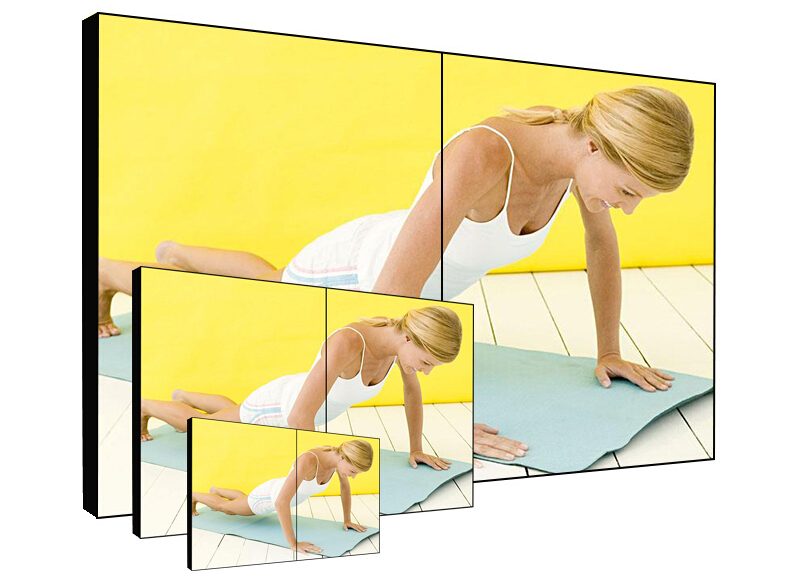
1×2 LCD Video Wall for Compact Control Rooms
Description
Why Two Screens Work in a Small Control Room
A small monitoring room may have limited wall space, but it still needs to keep video, alarms, access control, or equipment status visible. A 1×2 LCD video wall for compact control rooms combines two commercial panels in one horizontal viewing area so operators can monitor two priorities without repeatedly changing pages.
The two panels may show separate sources or operate as one wide canvas. A property desk might keep the main camera group on the left and alarms on the right, while an equipment room may compare live status with a management workstation. The value is a clear information split, not simply a larger picture.
Planning Two Sources Before Selecting a Controller
The required controller depends on how the two panels will be used. Fixed one-source-per-screen operation needs less processing than layouts that must span, scale, switch, or save presets. Before choosing equipment, list the sources that must remain visible and the sources that are only called during an incident.
This process keeps the 1×2 LCD video wall for compact control rooms proportionate to the task. It also prevents a later shortage of inputs when a camera recorder, visitor system, or second workstation is added.
Measure the Wall, Viewing Distance, and Service Route
A two-panel system is compact, yet accurate measurements are still essential. Confirm wall width, panel height, operator distance, cable entry, and the position of nearby lights. Wall mounting can save floor area, while a floor-standing cabinet is useful when the wall cannot carry the load.
If technicians cannot work behind the display, a front-service structure should be considered before installation. The brackets must keep both panels on one horizontal line; placing two ordinary displays side by side without alignment adjustment does not create a professional video wall.
Support Long Daily Monitoring Without Visual Fatigue
For a 1×2 LCD video wall for compact control rooms, readable alarms and stable images matter more than excessive brightness. Settings should suit the room lighting and the operator distance. Both panels should be adjusted together so that a shared map or report does not change noticeably at the bezel.
Commissioning should include separate-source mode, wide-image mode, power recovery, and a realistic operating period. Clear screen and cable labels make later troubleshooting faster, even in a simple two-panel system.
Information Needed for an Accurate Proposal
Provide the installation dimensions, viewing distance, source types, number of simultaneous inputs, daily operating schedule, and preferred mounting method. Panel size can then be selected from the available 46, 49, 55, or 65 inch categories according to the site rather than by size alone.
A complete proposal for a 1×2 LCD video wall for compact control rooms can include the panels, mounting structure, controller, signal cables, and power accessories. Confirming the complete package reduces interface and installation problems after delivery.
Frequently Asked Questions
How many panels are used in a 1×2 LCD video wall?
The layout uses two LCD video wall panels in one horizontal row. They may show two independent sources or one image across both panels.
Does a small two-panel wall always need a video wall controller?
Not always. Fixed independent inputs may use a simpler solution, while spanning, scaling, switching, and saved layouts require a suitable controller.
Should a 1×2 system be wall mounted or floor standing?
Wall mounting suits a load-bearing wall with suitable cabling. A floor-standing cabinet is useful when the wall cannot carry the system or when an independent structure is preferred.
How are color differences between two panels corrected?
Check the source and connection first, then adjust brightness and color consistency across both panels during commissioning.
Inquiry
You must be logged in to post a review.
Related products
-
1×4 LCD Video Wall for Digital Showrooms
Create a Continuous Digital Feature…
-
3×6 LCD Video Wall for Corporate Experience Centers
Make the Display Part of…
-
6×4 LCD Video Wall for Traffic Management Centers
Combine Road Networks and Junction…
-

3×3 LCD Video Wall for Industrial Process Monitoring
Build the Wall Around the…
Reviews
There are no reviews yet.