

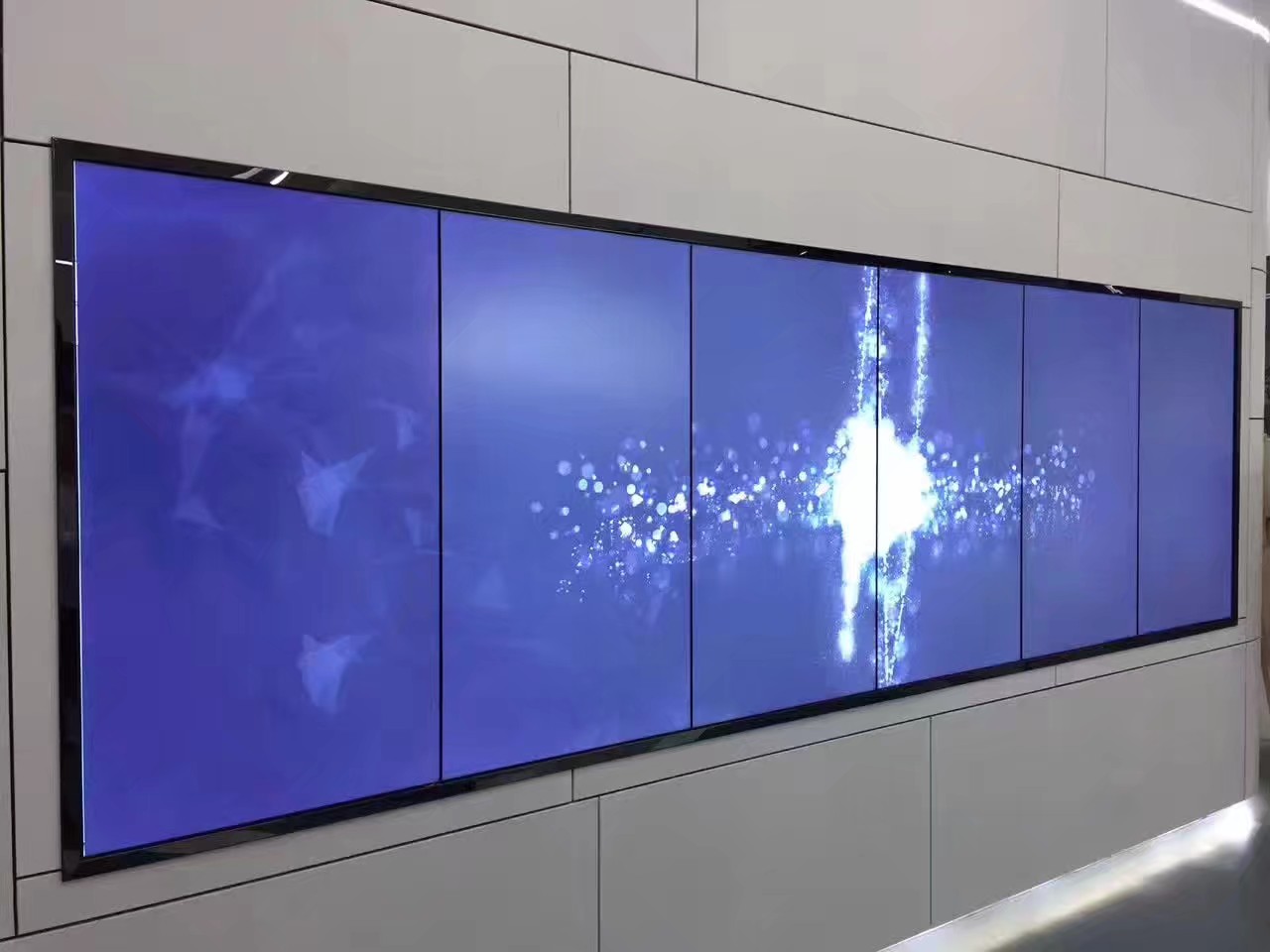
1×6 LCD Video Wall for Transport Operations Centers
Description
Why Transport Information Benefits from a Long Display
Airports, rail networks, bus terminals, and logistics centers often monitor information by route, zone, or time sequence. A 1×6 LCD video wall for transport operations centers places six panels in one horizontal row, allowing adjacent regions or stages to remain visible without constant page changes.
The single-row format uses a long wall while preserving vertical space for consoles and other equipment. It is especially useful in narrow operations rooms where a taller multi-row wall would not suit the sightline.
Assign Stable Positions to Routes and Teams
Each panel can represent a route, operating area, or monitoring responsibility. Stable positions help staff build visual memory: an alarm in one location always relates to the same part of the network. A wide route map can also span several or all six panels for briefings.
Plan the 1×6 LCD video wall for transport operations centers around daily monitoring, disruption response, shift handover, and management reporting. Each mode may require different sources, but the switch between them should be predictable.
Plan Longer Signal Paths Before Installation
A long wall can increase the distance between the equipment rack, operator workstation, and farthest panel. Confirm cable routes, connection types, and rack position according to actual distance. Power and signal wiring should be identified and organized rather than crossing behind the displays without a plan.
The user interface should remain close to the operators, while processing equipment can be placed where cooling and maintenance are practical. Saved layouts and permissions help different teams use the wall without disturbing another task.
Control Alignment Across Six Panels
A 1×6 LCD video wall for transport operations centers requires a precise horizontal reference. A small height error becomes very visible when lines and route diagrams extend across the entire wall. Wall flatness or cabinet leveling should be checked before final panel adjustment.
The site lists wall-mounted, floor-standing, and front-service options. The structure should match wall strength, floor level, and maintenance access. A technician should not have to remove several neighboring panels to inspect one connection.
Test Operations, Not Just Screen Power
Commissioning should cover six independent sources, a full-width image, cross-screen windows, preset changes, and power recovery. Use route maps, text, motion, and alarm colors so the team can confirm that real information is readable from every console.
For a 1×6 LCD video wall for transport operations centers, also inspect the viewing angle to the far-left and far-right panels. If operators must turn excessively, the panel size, console distance, or seating position should be adjusted before handover.
Frequently Asked Questions
How many inputs are required for a 1×6 video wall?
The number is determined by the operation, not by the six panels. The wall may use six independent inputs, fewer wide sources, or more sources through multi-window processing.
Is a 1×6 wall suitable for route maps and timelines?
Yes. Its horizontal format suits route diagrams, schedules, process stages, and regional status, provided important labels avoid bezel positions.
Can a 1×6 video wall become too wide to view comfortably?
Yes, if consoles are too close or seats are concentrated on one side. Total width, viewing distance, and operator positions should be evaluated together.
Does one panel fault require all six panels to shut down?
That depends on the power, signal, and service design. Clear labeling and independently serviceable connections can reduce disruption to the remaining panels.
Inquiry
You must be logged in to post a review.
Related products
-

5×1 Vertical LCD Video Wall for Transport Terminals
Present Five Levels of Travel…
-

4×4 LCD Video Wall for Network Operations Centers
A sixteen-panel monitoring canvas for…
-

2×3 LCD Video Wall System for Control Rooms
Six Panels for Continuous Monitoring…
-
6×4 LCD Video Wall for Traffic Management Centers
Combine Road Networks and Junction…
Reviews
There are no reviews yet.